

One organization, several teams
An Organization can be divided into several Teams. A team generally brings together the members of the organization who work on the same functional or technical scope. For example, you might have a System Administrators team and a separate Application Maintenance team.
Note: A user can belong to several teams.
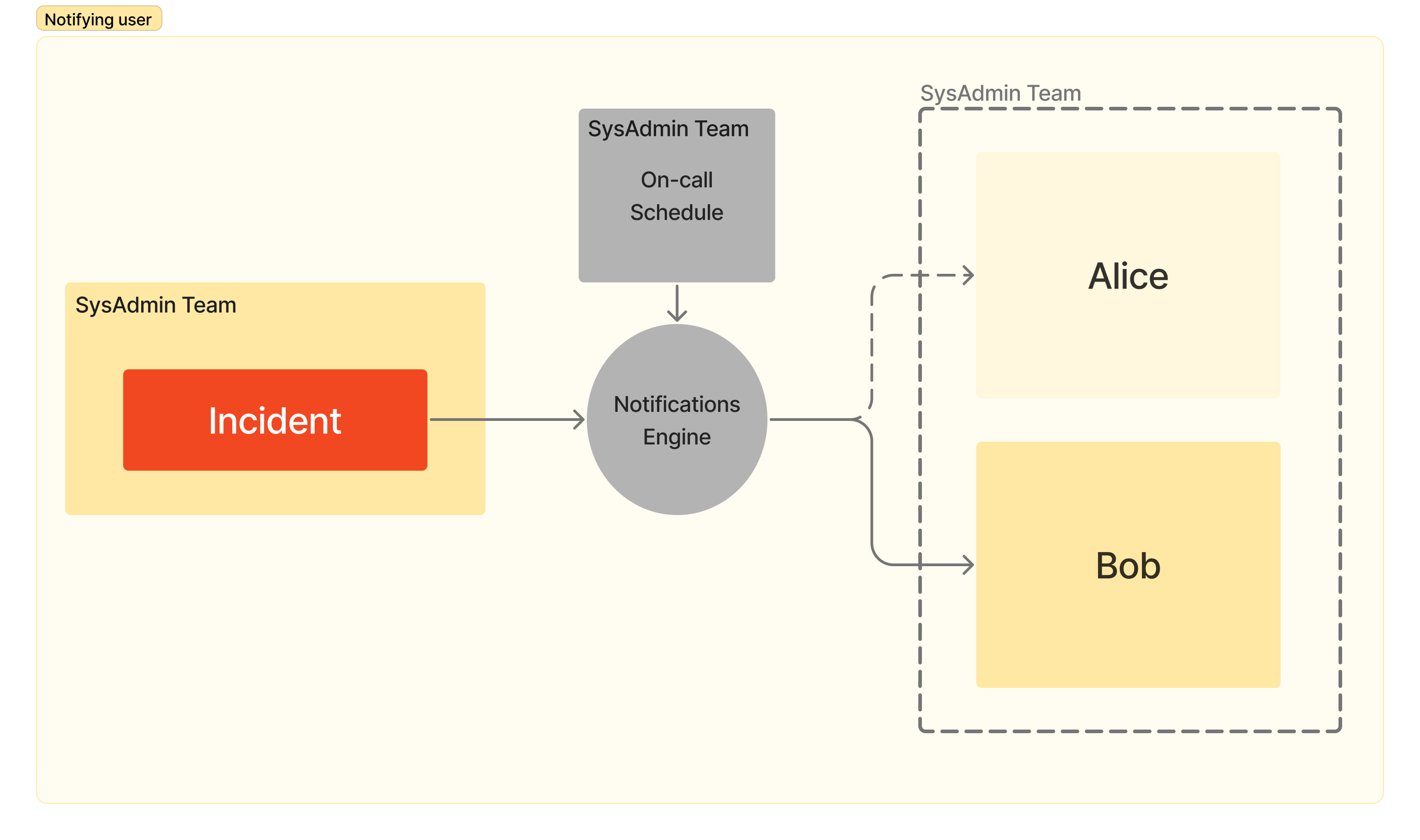
At any given time, at most one team member is considered on-call for their team. When an incident is raised, this is the member who will be notified (according to their notification policies).
Teams are accessible from the main Teams tab. This page lists the teams of your organization (with, for each of them, the person currently on call, the number of members taking part in on-call duty and their contact methods), and offers a general on-call schedule gathering the on-call shifts of all teams (see On-call schedule).
Creating a team
To create a team, click Create a team and fill in:
- its name
- its description (optional), summarizing its scope and responsibilities
- its type:
- Standard: a team for general use
- On-Call: a team officially taking part in on-call duty
- Best Effort: a team that responds to alerts but doesn't do formal on-call duty
Team configuration
Each team has the following menus:
-
Members: the list of team members, with their role. Owners can add members of the organization (or add themselves), invite new users to join Astry, remove members, and define the positions held by each member within the team. A member who is still part of the on-call schedule must be removed from it before they can be removed from the team.
-
On-call schedules: who is on call, and when (see On-call schedule).
-
Crisis on-call: the on-call schedule specific to crises (see Crisis on-call).
-
Global alerts: see below.
-
Escalations: the team's escalation policies (see Escalation).
-
Reopenings: the team's reopening policies (see Automatic Reopening).
-
Settings: the name, description and type of the team, as well as advanced (optional) information:
- the team's main phone number
- the Response Time guarantee: the maximum time before the team acknowledges an incident
- the Resolution Time guarantee: the maximum time before the team resolves an incident
Response and resolution times are used as references to track SLA compliance in reporting. A team can also be deleted from this menu (Owners only): this is only possible if the team is not used in any routing rule or escalation policy, and the incidents assigned to it are then no longer assigned to any team.
Global alerts
By default, only the on-call person is alerted when an incident is assigned to the team. Global alerts let you additionally alert all the team members (with the Responder or Owner role, including those who don't take part in the rotations) when an incident reaches a certain priority level. For example: "Alert all team members in case of incident with priority at least equal to High".
This alert is sent by email only, and only once per incident. It can be configured by Owners and Responders.